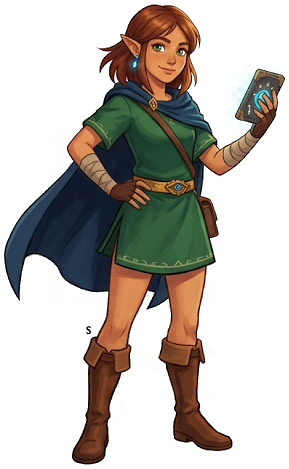
Purah Pad Guide — All Upgrades, Sensor+ & Travel Medallion
Purah Pad Guide — TotK's Navigation System
The Purah Pad is Link's multi-tool throughout TotK — it handles maps, fast travel, the Sensor, Camera, and special upgrades unlocked through Purah at Lookout Landing. This guide covers every upgrade, what they do, and the best order to unlock them.
What the Purah Pad Does (Base Functions)
Pre-upgrade capabilities:
- Map: Displays discovered areas, shrines, towers, Lightroots, and custom markers
- Sensor: Basic version — pings when near a shrine
- Camera: Take photos added to the Camera Roll
- Fast Travel: Warp to any activated shrine, tower, or shrine entrance
- Scope: Aim and zoom for distance viewing (helpful for marking distant locations)
Upgrade 1 — Sensor+ (Enhanced Sensor)
What it does: The Sensor+ can be set to detect ANY specific item, enemy, or material you've photographed. When active, it pings directionally as you move — closer = faster pings.
How to unlock:
- Speak to Purah at Lookout Landing
- She requests a Steward Construct Horn — obtained from defeating a Flux Construct I
- Bring her the horn → Sensor+ activated
What to track with Sensor+:
- Koroks: Set Sensor+ to track Korok Seeds after photographing one. This dramatically simplifies Korok collection.
- Specific materials: Track Puffshrooms or any rare ingredient when you need a specific upgrade material
- Shrines: The enhanced sensor gives directional information (basic sensor just pings)
- Specific enemies: Track the nearest Lynel when farming Lynel materials
Tip: Keep Sensor+ set to Koroks during general exploration. The constant ping tells you when you're near hidden seeds before you see them.
Upgrade 2 — Camera Roll
What it does: Access all photos you've taken, add custom descriptions, and review them easily.
How to unlock: Photograph a specific set of items Purah requests (she gives a checklist).
Practical use:
- Photograph enemies, materials, and locations as you explore
- The Camera Roll doubles as a Hyrule Compendium (photographs make items trackable with Sensor+)
- Screenshot notable discoveries for reference
Upgrade 3 — Travel Medallion
What it does: Place a custom fast travel point anywhere in the world. Warp to it from anywhere else.
How to unlock:
- Complete Josha's Depths quest at Lookout Landing
- She directs you to a specific Depths location
- Retrieve the old Travel Medallion prototype (in a chest in the Depths below Hyrule Castle area)
- Bring it to Robbie (at the Hateno Ancient Tech Lab)
- Robbie activates it — Travel Medallion unlocked
Uses:
- Place at a location you'll repeatedly visit (farming spots, remote shrines, hard-to-reach locations)
- The medallion creates a custom fast travel node on your map
- Replace the marker whenever you have a new priority destination
- One placement at a time — you can only have 1 Travel Medallion marker active
Best placement strategies:
- Active dungeon entrance (during temple runs)
- Farosh/Naydra/Dinraal dragon circuit waypoints
- Remote Korok seed clusters
- Dangerous Depths areas you're actively farming
Upgrade 4 — Ascend Visual Enhancement
What it does: Makes the Ascend indicator more visible — a clearer glow above valid surfaces.
How to unlock: Minor upgrade — Purah provides after completing a specific observation task.
Practical impact: Mild visual quality of life. The base Ascend indicator works fine; this just makes it slightly clearer in bright environments.
Map Features
The Purah Pad map has several underutilized features:
Custom Markers
- Hold the stick in map view → place custom markers
- 5 marker types: star, circle, X, triangle, heart
- Use different shapes to mark different types of content (★ = shrine, ○ = Korok cluster, X = Frox location)
Layer Toggle
Toggle between surface map, sky island layer, and Depths layer:
- Surface (default): Standard Hyrule map
- Sky: Shows sky island discoveries
- Depths: Shows Lightroot activations and Depths discoveries
Depths navigation note: The Depths map fills in as you activate Lightroots. Lightroot locations correspond to shrine positions on the surface map — useful for triangulating your position underground.
Regional Breakdown
Each region's discovered content is summarized in the map sidebar — % shrines found, towers activated, etc. Use this to identify what's left in a region.
Sensor+ Tracking Priorities
Ordered by utility:
- Korok Seeds (photograph one early → enables constant background Korok detection during all exploration)
- Puffshrooms (needed for Ancient Armor ★ upgrade — rare and hard to spot)
- Silver Lynel Saber Horn (for Fuse material farming)
- Star Fragments (rare falling items — Sensor+ helps track their impact site)
- Specific ore types (Luminous Stone or Opal for armor upgrade farming)
Quick Tips
- Photograph everything — every unique enemy, material, and plant you encounter should be photographed. Each photo makes it Sensor+-trackable. The Camera Roll builds your tracking database.
- Travel Medallion rotation — move the medallion frequently. Don't leave it in one place for weeks. Think of it as a temporary "next priority" bookmark that you update as you change focus.
- Map markers are underused — most players never use map markers. They're one of the best tools for Korok seed hunting and dungeon navigation. Set 5 markers in a region → systematically visit each → clear and reset.
- Depths map reveals secrets — the Depths layer with all Lightroots activated shows the full underground geography. Lightroot positions that correspond to surface shrines help you understand the vertical structure of Hyrule.
- Sensor+ on rare materials — when you need specific upgrade materials (Ancient Blades, Puffshrooms, specific flowers), set Sensor+ to that material. It pings within a radius, directing you to the nearest specimen. Far faster than random searching.
See also: Lookout Landing Guide | Korok Seeds Guide | Depths Guide
The Legend of Zelda: Tears of the Kingdom
Nintendo Switch — pick up your copy on Amazon
Affiliate disclosure: Hyrule Archive may earn a commission from purchases made through Amazon links on this site at no extra cost to you.