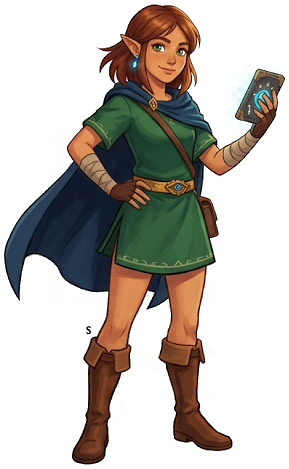
Travel Medallion Guide — Custom Warp Points in TotK
Travel Medallion — Custom Warp Points for Faster Traversal
The Travel Medallion is a Purah Pad upgrade that lets Link place a custom fast-travel anchor anywhere in the world. Instead of warping only to pre-existing shrines and towers, you can drop a medallion at any location and teleport there instantly. It is one of the most useful quality-of-life upgrades in the game for exploration and farming.
How to Unlock the Travel Medallion
Step 1 — Reach Hateno Ancient Tech Lab
The Travel Medallion is a Purah Pad upgrade from Robbie at the Hateno Ancient Tech Lab. Travel to Hateno Village in the Necluda region and climb the hill to the lab above the village.
If this is your first visit, Robbie will ask you to photograph a nearby enemy for the Hyrule Compendium before unlocking any upgrades. Photograph whatever creature he specifies using the camera, then show him the photo.
Step 2 — Show Robbie a Photograph
Robbie upgrades the Purah Pad in exchange for compendium entries (photographs). He will ask for a photo of a specific creature, item, or location from a list he maintains. Open your camera, find the subject (he usually points you toward something nearby or common in the Necluda region), and photograph it.
Return the photo to Robbie to unlock the upgrade menu.
Step 3 — Select "Travel Medallion" From the Upgrade Menu
Robbie's upgrade menu includes: Camera upgrades, Sensor+, Travel Medallion, and Dragon Tracking. Select Travel Medallion — it unlocks immediately with no rupee cost, only the photo requirement.
The Travel Medallion icon appears in your Purah Pad tools after unlocking.
How to Use the Travel Medallion
Placing a Medallion
- Open the Purah Pad (pause menu → Purah Pad tools)
- Select Travel Medallion
- Choose Place Medallion
- Confirm — the medallion is placed at Link's exact current position
The medallion appears on your map as a small pink diamond icon. It can be placed anywhere: mid-air, underwater, underground in the Depths, on a Sky Island, or even on a moving surface (though warp will place you at that coordinate when the game resolves teleport location).
Warping to a Medallion
Open the map, locate your medallion icon (pink diamond), and select it. Warp works identically to shrine or tower warping. Load time is standard — about 3–5 seconds.
Moving a Medallion
You can only have one active medallion at a time (until upgraded — see below). To move it:
- Open Purah Pad → Travel Medallion
- Select Recall Medallion — this removes it from the world and refunds it to your inventory
- Travel to the new location
- Place it again
Recalling does NOT cost anything. Move your medallion as often as needed.
Upgrading to Multiple Medallions
The base Travel Medallion gives you one custom warp point. Robbie offers upgrades to expand this:
| Upgrade | Medallions | Requirement | |---------|------------|-------------| | Base | 1 medallion | Photo of 1 creature | | Upgrade 1 | 2 medallions | Photo of 5 additional creatures | | Upgrade 2 | 3 medallions | Photo of 10 additional creatures |
Each upgrade requires returning to Robbie with the specified number of compendium photos. The photos do not need to be of unique creatures each time — Robbie accepts any entries that fill the compendium slots he specifies.
With 3 medallions, you can maintain permanent fast-travel anchors in three distinct locations simultaneously — a major traversal upgrade for late-game exploration.
Best Locations to Place Your Travel Medallion
The optimal medallion placement depends on your current goals. Here are the highest-value permanent positions:
For Depths Farming
Place at: The Abandoned Central Mine in the Depths (after completing the Mineru questline)
The Mines is the geographic center of the Depths and adjacent to major Construct farming zones, Lightroot clusters, and Poe collection routes. No other single warp point covers as much Depths content.
For Dragon Farming
Place at: Bridge of Hylia (Farosh), Mount Lanayru summit (Naydra), or Eldin Canyon chasm overlook (Dinraal)
Set up a campfire and medallion at the optimal farming spot for your target dragon, sleep until the spawn window, collect the part, then recall the medallion for the next dragon.
For Korok Seeds / Exploration
Place at: The center of whichever region you are currently completing
As you work through a region's shrines and Koroks, move the medallion to the current center of activity rather than warping back to a far shrine each time. This cuts traversal time in half for region-clearing sessions.
For Lynels and Elite Enemies
Place at: Near the Floating Coliseum in the Depths
The Floating Coliseum respawns its Lynel gauntlet every Blood Moon. A medallion directly outside the arena entrance saves 3–5 minutes per farming session compared to warping to the nearest Lightroot.
For Final Boss Preparation
Place at: Lookout Landing (near Purah) OR just outside Hyrule Castle entrance
Late-game, a medallion at Hyrule Castle's approach gives instant access for grinding the castle's Silver enemies and rare weapon drops without a long Hyrule Field traverse every time.
Travel Medallion vs. Shrine Warps — When to Use Each
| Situation | Use Medallion | Use Shrine | |-----------|---------------|------------| | Repeating a specific farm route | ✓ | — | | First visit to an area | — | ✓ | | Dragon spawn interception | ✓ | — | | Quick access to a stable | — | ✓ (nearest shrine) | | Boss fight preparation | ✓ | — | | Returning to an in-progress area | ✓ | — |
The medallion is most valuable for repeatable tasks at locations that lack nearby shrines. Shrine warps are better for one-time destinations across the map.
Advanced Tips
Medallion on a Sky Island: Place a medallion on a hard-to-reach Sky Island after your first visit. Skip the entire ascent process on return trips — warp directly to the island's surface for Zonai device farming, shrine re-entry, or material collection.
Medallion in a Labyrinth Center: After solving any labyrinth's maze, place a medallion at the altar before leaving. On return trips (for Depths/Sky versions), warp directly to the labyrinth center instead of re-solving the maze.
Medallion at Blood Moon Campfire: Set up a permanent campfire at a strategic location (dragon intercept point, Blood Moon observation hill) and place your medallion there. Sleep until Blood Moon / dragon spawn from a single fixed point without repositioning.
Two-Medallion Routing (3-medallion upgrade): Maintain one medallion in the Depths, one in a high-value Surface farming zone, and one "mobile" medallion that you move to match your current activity. This three-point coverage eliminates most long-distance traversal.
Troubleshooting
"I can't place a medallion here" — You cannot place medallions inside active shrines or dungeons. Step just outside the entrance and place it there instead — warp will put you near the entrance on return.
"I accidentally recalled my medallion" — There is no undo. Rebuild your position by warping to the nearest shrine and re-navigating, then replace the medallion at the correct spot. Use the map pin feature to mark exactly where the medallion was so you can find the spot again.
"The warp puts me in the wrong position" — The Travel Medallion respects physics on warp arrival. If the medallion is placed on a slope or near a ledge, you may slide upon arrival. Place on flat ground for predictable warp arrival positions.
Unlock time: 5–15 minutes after reaching Hateno Lab. Full 3-medallion upgrade: 30–60 minutes of compendium photography.
The Legend of Zelda: Tears of the Kingdom
Nintendo Switch — pick up your copy on Amazon
Affiliate disclosure: Hyrule Archive may earn a commission from purchases made through Amazon links on this site at no extra cost to you.